import numpy as np
import matplotlib.pyplot as plt
import astroapers as aapPathAp custom line and arc apertures
PathAp is the aperture to use when the aperture boundary is not one of the built-in circles, ellipses, rectangles, pills, or wedges. A path is written as local offsets from each aperture center, using straight line segments and circular arcs.
That command language is also the main limitation: PathAp only understands ("line", x, y) and circular ("arc", cx, cy, r, theta0, dtheta) boundary segments. It does not accept Bezier curves, splines, elliptical arcs, Matplotlib Path objects, or arbitrary Python callback masks. If you flatten another curve into short line segments before constructing PathAp, apsum_exact() is exact for that flattened approximation, not for the original curve.
Make a small image
The examples below use a synthetic field with one bright source, a sloped background, and a narrow feature that is easier to isolate with a custom shape.
ny, nx = 64, 72
y, x = np.mgrid[:ny, :nx]

x0, y0 = 35.2, 30.7
data = 5.0 + 0.04 * x - 0.02 * y
data += 90.0 * np.exp(-0.5 * ((x - x0) ** 2 + (y - y0) ** 2) / 3.0**2)
data += 25.0 * np.exp(-0.5 * ((x - (x0 + 8.0)) ** 2) / 8.0**2) * np.exp(
    -0.5 * ((y - (y0 + 4.0)) ** 2) / 1.7**2
)

fig, ax = plt.subplots(figsize=(5, 4))
ax.imshow(data, origin="lower", cmap="viridis")
ax.plot(x0, y0, "w+", ms=7)
ax.set_title("Synthetic image")
plt.show()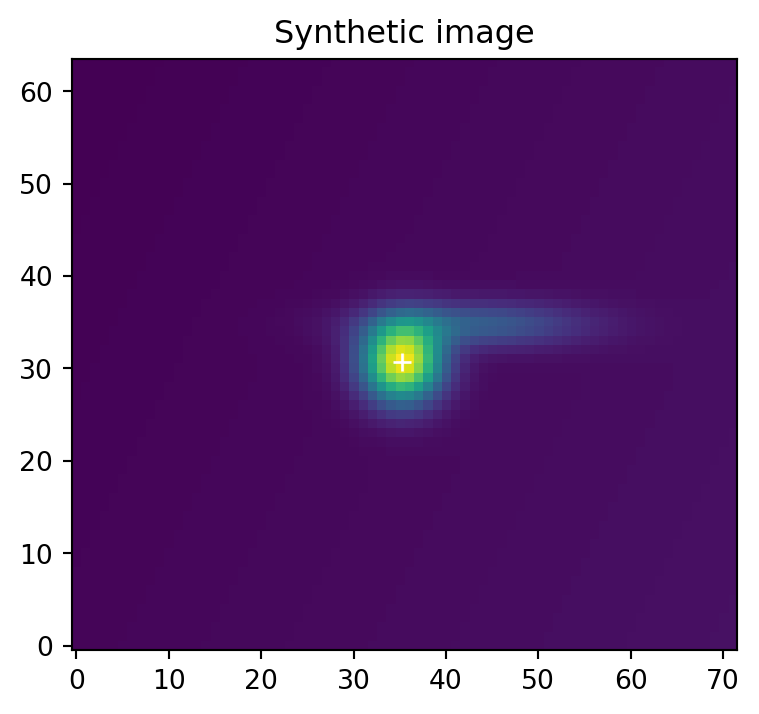
A polygon path
Every path starts with ("move", x, y), continues with ("line", x, y) or circular ("arc", cx, cy, r, theta0, dtheta) commands, and ends with ("close",). Coordinates are local offsets from the aperture center.
diamond = [
    ("move", 0.0, 7.0),
    ("line", 7.0, 0.0),
    ("line", 0.0, -5.0),
    ("line", -6.0, 0.0),
    ("close",),
]

poly_ap = aap.PathAp((x0, y0), diamond)
poly_sum, poly_npix = poly_ap.apsum_exact(data)
poly_mean = poly_sum / poly_npix

poly_sum, poly_npix, poly_mean
(array(4505.76084009), array(78.), np.float64(57.766164616569874))fig, ax = plt.subplots(figsize=(5, 4))
ax.imshow(data, origin="lower", cmap="viridis")
poly_ap.plot(ax=ax, color="w", lw=1.8)
ax.set_title("Line-segment PathAp")
plt.show()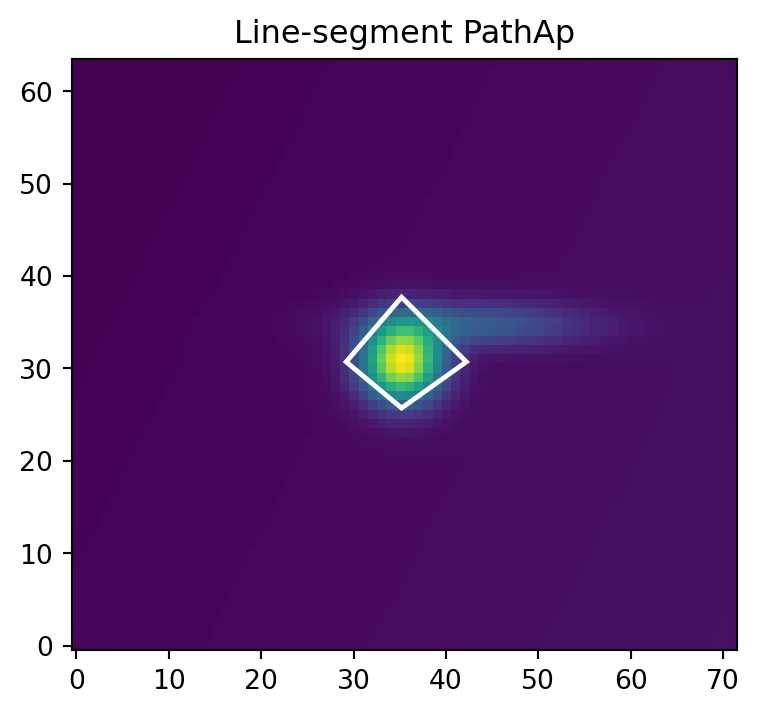
apsum_exact() computes fractional pixel overlap. apsum_center() selects pixels whose centers are inside the path. For path apertures, centers on the outer boundary count as inside.
exact_sum, npix_exact = poly_ap.apsum_exact(data)
center_sum, center_npix = poly_ap.apsum_center(data)

np.array([exact_sum, center_sum, npix_exact, center_npix])
array([4505.76084009, 4419.94121758, 78. , 75. ])Circular arcs
Arcs are represented analytically; they are not flattened for the aperture calculation. The command ("arc", cx, cy, r, theta0, dtheta) follows a circle centered at local (cx, cy), starting at angle theta0 and sweeping by signed angle dtheta, in radians.
Only circular arcs are supported. Elliptical arcs and spline-like curves must use a built-in aperture where available, or be approximated by line segments with the approximation stated in downstream analysis.
r = 8.0
cap = [
    ("move", -r, 0.0),
    ("arc", 0.0, 0.0, r, np.pi, -np.pi),
    ("line", r - 2.0, -3.5),
    ("line", -r + 2.0, -3.5),
    ("close",),
]

cap_ap = aap.PathAp((x0, y0), cap)
cap_sum, cap_npix = cap_ap.apsum_exact(data)
cap_sum, cap_npix
(array(6052.96371294), array(149.53096491))fig, ax = plt.subplots(figsize=(5, 4))
ax.imshow(data, origin="lower", cmap="viridis")
cap_ap.plot(ax=ax, color="C3", lw=1.8)
ax.set_title("PathAp with a circular arc")
plt.show()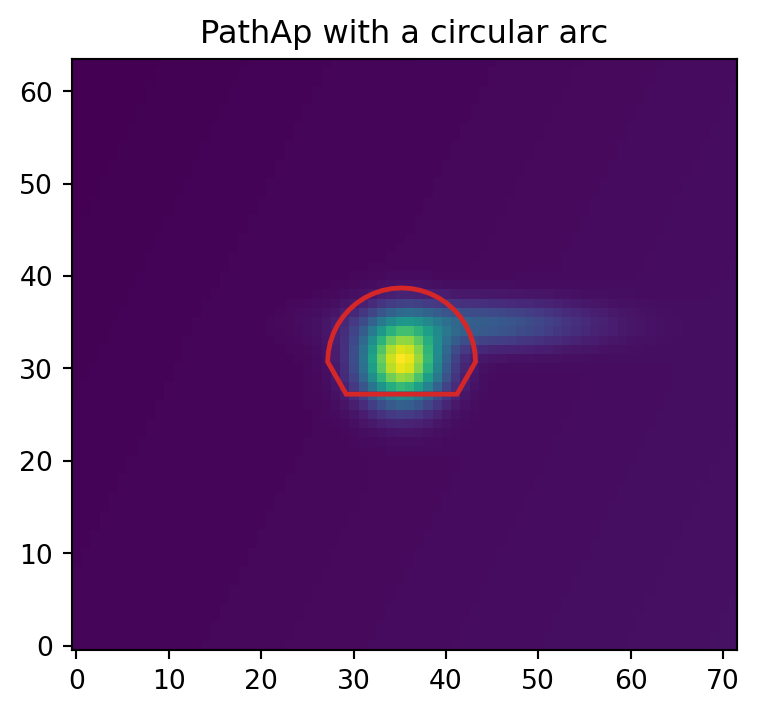
The plotted arc is sampled only for display. The sampled plotting vertices do not affect the exact aperture weights.
Holes
Pass holes=[...] to subtract one or more closed inner paths. Hole boundaries are excluded in center mode.
outer = [
    ("move", -10.0, -7.0),
    ("line", 12.0, -7.0),
    ("line", 12.0, 7.0),
    ("line", -10.0, 7.0),
    ("close",),
]

hole = [
    ("move", 3.0, 0.0),
    ("arc", 0.0, 0.0, 3.0, 0.0, 0.5 * np.pi),
    ("arc", 0.0, 0.0, 3.0, 0.5 * np.pi, 0.5 * np.pi),
    ("arc", 0.0, 0.0, 3.0, np.pi, 0.5 * np.pi),
    ("arc", 0.0, 0.0, 3.0, 1.5 * np.pi, 0.5 * np.pi),
    ("close",),
]

box_with_hole = aap.PathAp((x0, y0), outer, holes=[hole])
hole_sum, hole_npix = box_with_hole.apsum_exact(data)
hole_sum, hole_npix
(array(5949.82586786), array(279.72566612))fig, axes = plt.subplots(1, 2, figsize=(8, 3.5), constrained_layout=True)
axes[0].imshow(data, origin="lower", cmap="viridis")
box_with_hole.plot(ax=axes[0], color="w", lw=1.8)
axes[0].set_title("Compound path")
weights = box_with_hole.weights_exact()[0]
axes[1].imshow(weights, origin="lower", vmin=0, vmax=1)
axes[1].set_title("bbox-tight weights")
plt.show()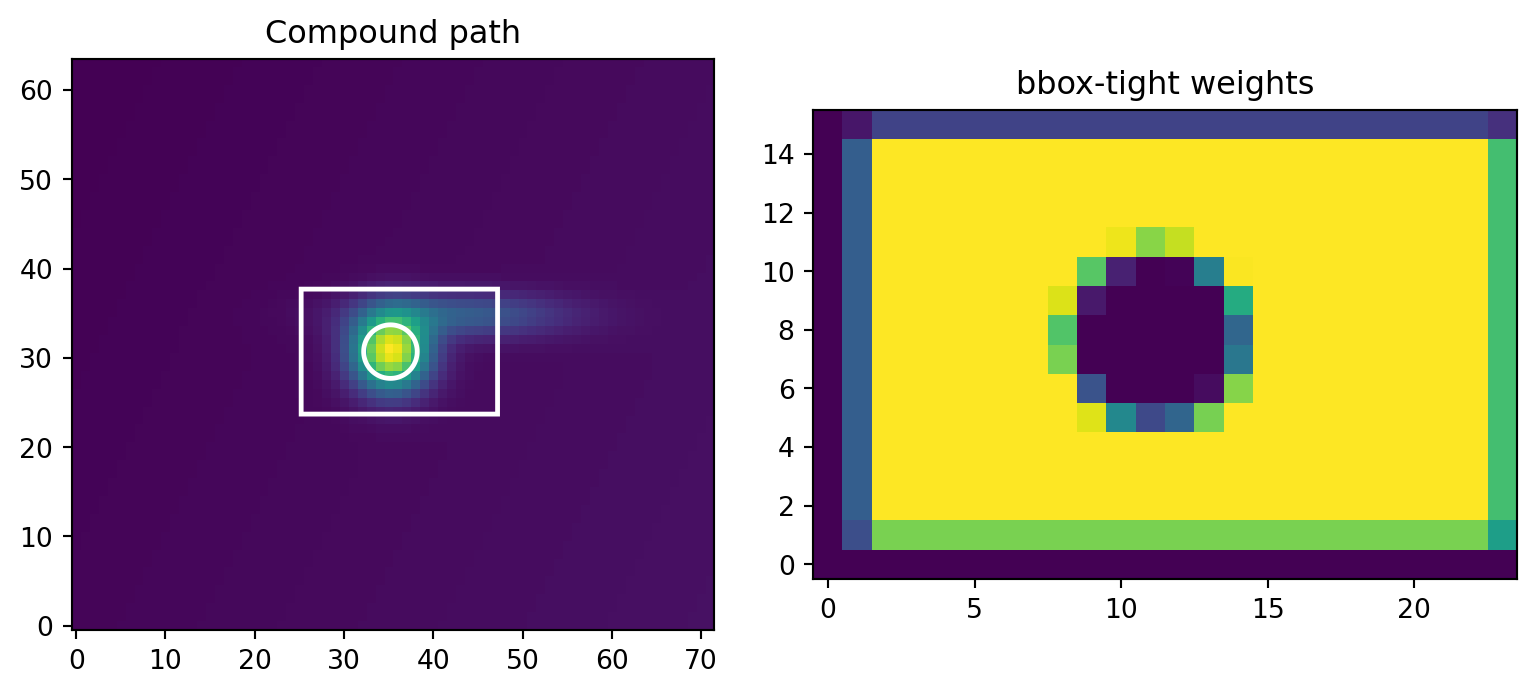
Multiple centers
The same local path can be evaluated at many aperture centers.
positions = np.array(
    [
        [x0 - 15.0, y0 - 8.0],
        [x0, y0],
        [x0 + 14.0, y0 + 6.0],
    ],
    dtype=np.float64,
)

multi_ap = aap.PathAp(positions, diamond)
multi_sums, multi_npix = multi_ap.apsum_exact(data)

np.column_stack([multi_sums, multi_npix])
array([[ 417.83191569, 78. ],
[4505.76084009, 78. ],
[1049.54199838, 78. ]])fig, ax = plt.subplots(figsize=(5, 4))
ax.imshow(data, origin="lower", cmap="viridis")
multi_ap.plot(ax=ax, color="w", lw=1.5)
ax.set_title("One path, multiple centers")
plt.show()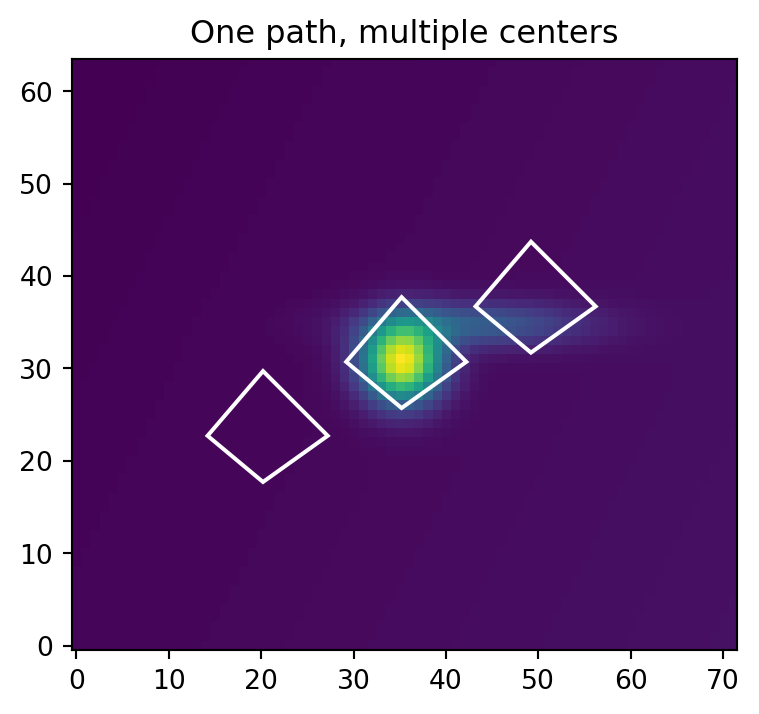
Validation rules
PathAp rejects malformed paths when validate=True, the default. Version 1 does not support self-intersecting paths, Bezier curves, spline curves, elliptical arcs, Matplotlib paths, or Python callback masks.
bad_path = [
    ("move", 0.0, 0.0),
    ("line", 4.0, 0.0),
    ("line", 0.0, 0.0),  # zero-area path after close
    ("close",),
]

try:
    aap.PathAp((x0, y0), bad_path)
except ValueError as exc:
    print(type(exc).__name__, str(exc))
ValueError path must have at least three effective edgesUse bbox-tight weight composition when the shape already exists as sampled weights. Use PathAp when the boundary is truly geometric and can be written with straight lines and circular arcs.
Maximum Performance
Raw path functions use encoded path arrays, not the tuple command language. PathAp stores those arrays after construction. Import the raw Rust extension as aapr. For more raw-call patterns, inspect astroapers.kernels.
import astroapers._rust as aapr

raw_data = np.ascontiguousarray(data, dtype=np.float64)
xpos = np.ascontiguousarray(positions[:, 0], dtype=np.float64)
ypos = np.ascontiguousarray(positions[:, 1], dtype=np.float64)

raw_weights, ixmins, ixmaxs, iymins, iymaxs = aapr.weights_path_exact(
    xpos,
    ypos,
    multi_ap._kinds,
    multi_ap._data,
)

raw_sums = []
raw_npix = []
for flat, ixmin, ixmax, iymin, iymax in zip(
    raw_weights,
    ixmins,
    ixmaxs,
    iymins,
    iymaxs,
    strict=True,
):
    shape = (iymax - iymin, ixmax - ixmin)
    weights = np.asarray(flat, dtype=np.float64).reshape(shape)
    cutout = raw_data[iymin:iymax, ixmin:ixmax]
    raw_sums.append(np.sum(weights * cutout, dtype=np.float64))
    raw_npix.append(np.sum(weights, dtype=np.float64))

raw_sums = np.asarray(raw_sums)
raw_npix = np.asarray(raw_npix)

assert np.allclose(raw_sums, multi_sums)
assert np.allclose(raw_npix, multi_npix)

raw_sums
array([ 417.83191569, 4505.76084009, 1049.54199838])