import numpy as np
import matplotlib.pyplot as plt

import imcombiners as imc01 Quickstart Workflow
This notebook walks through the shortest useful workflow with imcombiners: build a synthetic image stack, sigma-clip the outliers, and combine.
1. Test Data
We simulate a stack of 15 frames of a flat field with Gaussian read noise, and then inject a couple of cosmic-ray hits in different frames.
imc accepts any array shaped (N, *spatial). This tutorial uses ordinary 2-D images, so *spatial == (ny, nx), but the same combine and rejection APIs also work for higher-dimensional trailing axes such as (N, channel, y, x).
rng = np.random.default_rng(20250311)
n_frames, ny, nx = 15, 64, 64

stack = rng.normal(loc=1000.0, scale=10.0, size=(n_frames, ny, nx)).astype("float32")

# Two cosmic ray hits in different frames.
stack[3, 20, 30] = 1.0e4
stack[8, 45, 12] = 8.0e3
fig, axes = plt.subplots(1, 2, figsize=(8, 3.5))
axes[0].imshow(stack[3], origin="lower", cmap="viridis")
axes[0].set_title("Frame 3 (CR hit)")
axes[1].imshow(stack.mean(axis=0), origin="lower", cmap="viridis")
axes[1].set_title("Naive mean")
plt.show()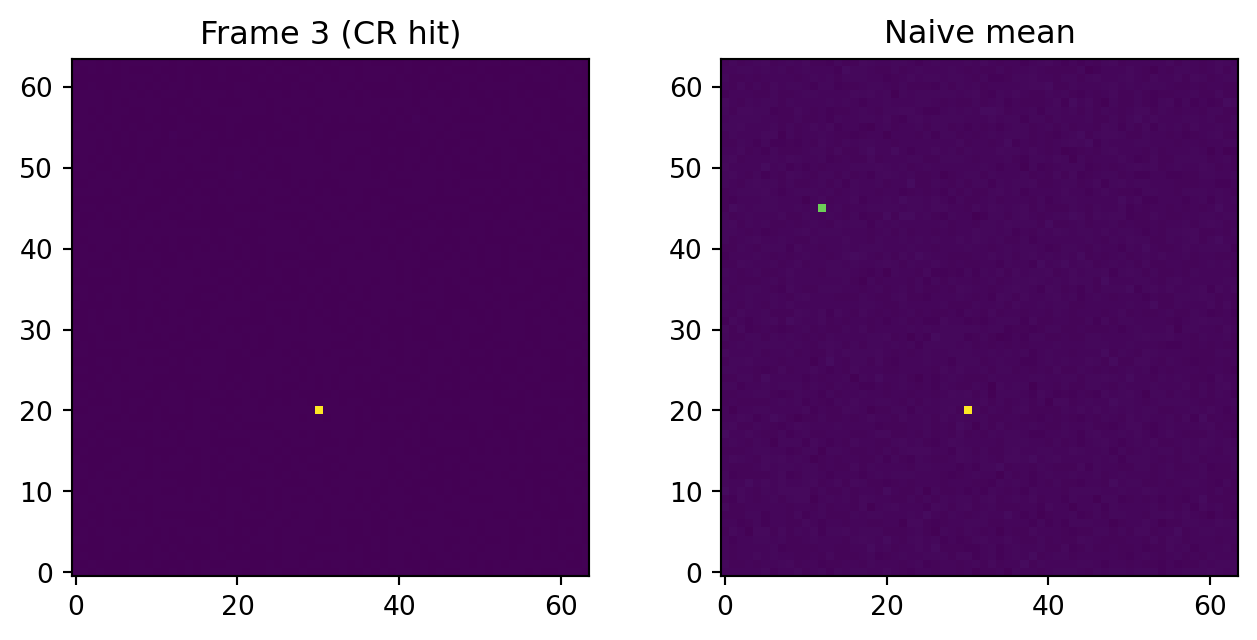
WarningData Types
Accepted public input dtypes:
- Integers (
uint8,uint16,int16,int32), and floating-point (float32,float64). - Unsupported:
int64,uint64,float128,…- They are not silently cast.
- The user must cast them explicitly before calling
imc. - In particular, there is no full-precision
int64combine path because the package does not provide afloat128workspace.
2. Standard Combiner
Use Standard Combiner in virtually all ordinary Python workflows. Create a Combiner, then call cmb.combine(...):
cmb = imc.Combiner(stack)
out = cmb.combine(
    "median",
    rejectors=imc.SigClip(sigma=(3.0, 3.0), maxiters=5, ddof=0),
    diagnostics=None,
)
fig, ax = plt.subplots(figsize=(5, 4))
ax.imshow(out, origin="lower", cmap="viridis")
ax.set_title("Median after sigma clipping")
plt.show()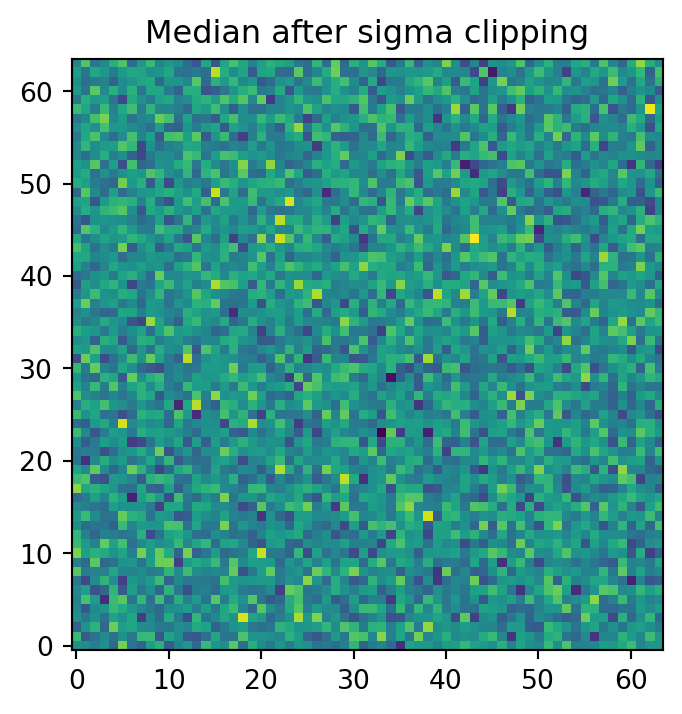
Standard Combiner can also keep diagnostics from the same call. The detailed comparison of diagnostics=None, "simple", and "full" is in the next tutorial:
cmb_diag = imc.Combiner(stack)
out_diag = cmb_diag.combine(
    "median",
    rejectors=imc.SigClip(sigma=3.0, maxiters=5),
    diagnostics="simple",
)
np.testing.assert_allclose(out, out_diag)
print(f"Latest rejection mask shape: {cmb_diag.mask_rej.shape}")
Latest rejection mask shape: (15, 64, 64)3. Compact ndcombine() Wrapper
The compact ndcombine() wrapper gives the same basic calculation as one function call:
out_one = imc.ndcombine(
    stack,
    combine="median",
    reject="sigclip",
    sigma=(3.0, 3.0),
    maxiters=5,
    ddof=0,
)
np.testing.assert_allclose(out, out_one)
print("Standard Combiner and compact ndcombine() wrapper agree.")
Standard Combiner and compact ndcombine() wrapper agree.The limitation is it cannot chain multiple rejectors, and the Pythonic attributes are not available, for example. This wrapper was made for IRAF-like CLI tools in a separate package (astroimred or air) where FITS I/O is well implemented. The computation speed will not be very different from the Standard Combiner approach.
4. Chained Combiner
Use Chained Combiner when you want step-by-step inspection, diagnostics, and debugging:
cmb_chain = imc.Combiner(stack).reject(imc.SigClip(sigma=3.0, maxiters=5))
out_chain = cmb_chain.combine("median")

np.testing.assert_allclose(out, out_chain)
print("Same result.")

mask_rej, std, low, upp, nit, output_flags = cmb_chain.last_reject
print(f"Rejected {mask_rej.sum()} samples out of {mask_rej.size}")
Same result.
Rejected 60 samples out of 61440mask_rej.sum(axis=0) gives the number of samples rejected by the most recent rejection step at each output element. The count actually used by later combine(...) calls is counted from the current combiner state:
n_used = np.sum(np.isfinite(cmb_chain.arr) & ~cmb_chain.mask, axis=0)
print(f"Samples used at the CR pixel: {n_used[20, 30]} / {n_frames}")
Samples used at the CR pixel: 14 / 15For truly full diagnostics, use diagnostics="full" in reject(...) or combine(...).
5. Performance Tips: direct kernel calls
Direct kernel calls are useful when arrays are already prepared and you want a focused primitive. It is in theory the lowest-overhead approach with the best performance, but requires more manual management. It may be useful for a large-scale observatory pipeline, for example. Direct kernel calls do not keep Combiner state, so you must apply masks yourself:
import imcombiners.kernels as imck

out_direct = imck.sigclip_combine(
    stack,
    combine="median",
    sigma=(3.0, 3.0),
    maxiters=5,
)

np.testing.assert_allclose(out_direct, out_chain)
print("direct kernel calls match the Chained Combiner result.")
direct kernel calls match the Chained Combiner result.