Find the paper
Use ADS, Crossref, or DataCite. Choose the lookup order, or add your own references when a service has no match.
 ADSfolio
A local library for research papers
Add a folder, identify papers in a batch, and preview filenames before renaming. Keep your folder structure, metadata edits, and file history.
Get ADSfolioRead the guide →
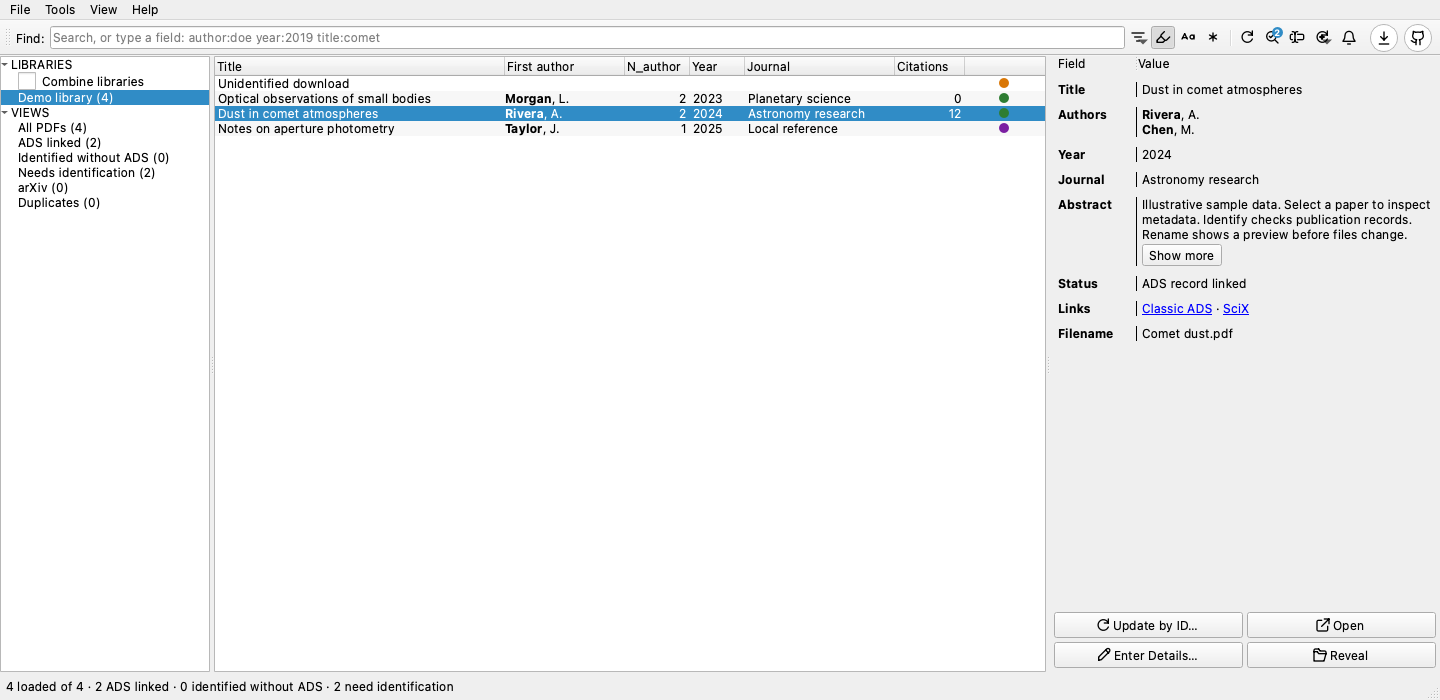
Saved results reduce repeated lookups. Identification time depends on PDF text, cache coverage, provider limits, and your connection.
Read the App GUI guide →Use ADS, Crossref, or DataCite. Choose the lookup order, or add your own references when a service has no match.
Preserve metadata and file history. Preview renames and reconcile files that changed outside the application.
Your catalog stays on your computer. Browse and edit without an ADS account. Online lookups contact the selected providers.
Everyday workflows
Add the papers you cite to an ADS library, then export BibTeX for LaTeX or Overleaf. A watcher can keep the file current while you write.
Watch a folder. Each new PDF gets publication details and a filename from your template.
Build your publication list in LaTeX, HTML, Markdown, or plain text. Choose how to highlight your name and how each entry looks.
macOS · Windows · Linux
Download the latest release for your operating system. Release bundles are unsigned. macOS downloads include DMG installers. See the platform requirements before installing.
Use the query tools without Qt or the desktop download. Python 3.10 or newer is required.
pip install adsfolio
adsfolio search 'author:Einstein' --rows 5 --json
For an isolated CLI, use uv tool install adsfolio. ADS searches require an ADS token.
CLI and API guide · Download the agent skill
Install the published Homebrew cask:
brew install --cask ysBach/adsfolio/adsfoliogit clone https://github.com/ysBach/adsfolio.git
cd adsfolio
uv sync --all-extras
uv run adsfolio-guiDesktop builds are currently unsigned. See the guide for OS requirements and installation limits.